
Check invoice status
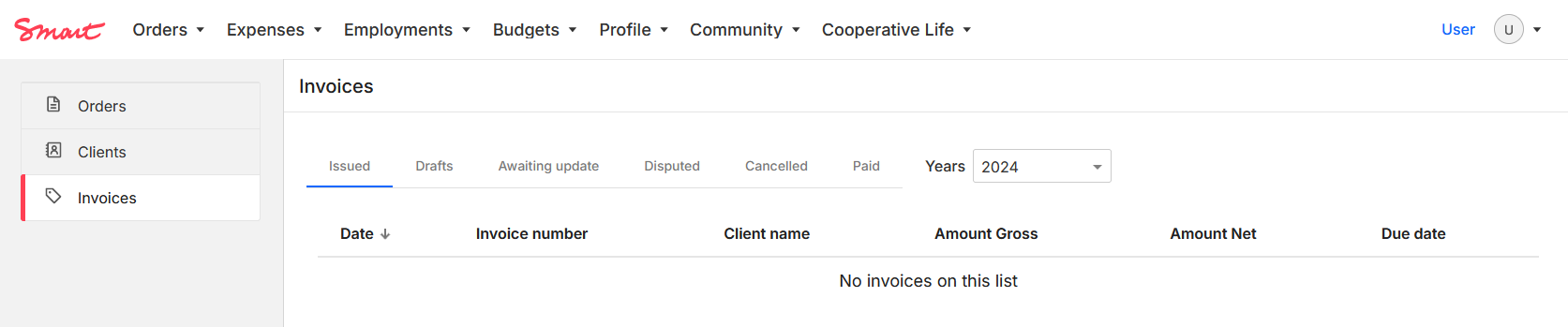
Invoiced - these invoices have already been sent to the customer and are awaiting payment.
Draft: Here you will find draft invoices that are automatically created in the portal 7 days before the invoice date based on the order. As soon as a draft is created, you will receive an email. You can request changes, which will then be made by Smart and included in the budget overview. You can also send the invoice to your customers independently via "Save and send" (for example, if the invoice is urgent). If you do nothing with the draft, the invoice will be sent by us on the planned invoice date.
Waiting for adjustment - these are the draft invoices that will be adjusted again by Smart at your request. As soon as they have been processed, they change to the status "Invoiced".
Disputed - These are invoices that have been disputed by your customers. We check the facts in consultation with you and cancel the invoice if necessary.
Canceled - These are invoices that have been canceled. The customer receives an email with the cancellation invoice for an invoice that has already been issued and any payments already made are refunded to the customer by Smart.
Paid - These invoices have been paid in full by the customer.
No comments to display
No comments to display